What is a Minecraft client? Launcher, Fabric and mods explained
Four terms people mix up, explained simply: launcher, client, mod loader and mod.
People use "launcher", "client" and "mod" as if they mean the same thing. They do not. Here is what each one is, and how they fit together.
Launcher#
A launcher is the program that signs you in, picks a game version and starts Minecraft. It also manages profiles, memory settings and game files. The standard Minecraft Launcher is one example, and FireClient includes a launcher too.
Mod loader#
A mod loader is software that lets Minecraft load mods. Fabric is a lightweight mod loader that is popular for fast updates to new Minecraft versions. Other loaders include Forge, NeoForge and Quilt. A mod must be built for the loader you use.
Mod#
A mod is a file that changes or adds something to the game, such as better performance or a new interface. Mods are usually shared on sites like Modrinth. See the mods guide for how to pick the right file.
Client#
A client is a package of features that runs inside the game, often for quality-of-life and display tweaks. Examples include a customisable HUD with FPS, coordinates and other readouts, or a menu to switch settings. A client is built on top of a mod loader.
How FireClient fits#
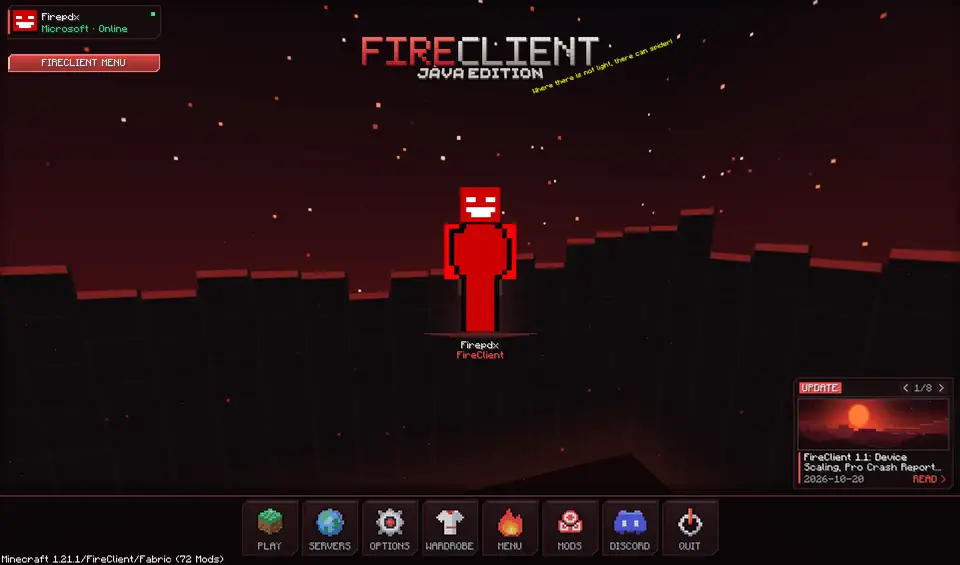
FireClient combines a launcher with a Fabric client. The launcher starts Minecraft Java Edition on Windows, and the in-game client adds a draggable HUD and a menu that opens with Right Shift, for Minecraft 1.21.1 on Fabric with Java 21. Set up the HUD in the HUD guide.
One more thing#
Some servers have rules about which client features are allowed. Read a server's rules before you join, and respect them.
Keep reading

FireClient mod for Minecraft 1.21.1 (Fabric): what it is and how to get it
The FireClient mod is the in-game Fabric client behind the menu and HUD. Here is what it is, how to get it, and how it differs from the FireClient SMP mod.
FireClient vs Lunar Client: which Minecraft launcher fits you?
A sourced, no-hype comparison of FireClient and Lunar Client, including when Lunar Client is the better choice.